Cordova Browser2.0
Publisher Description
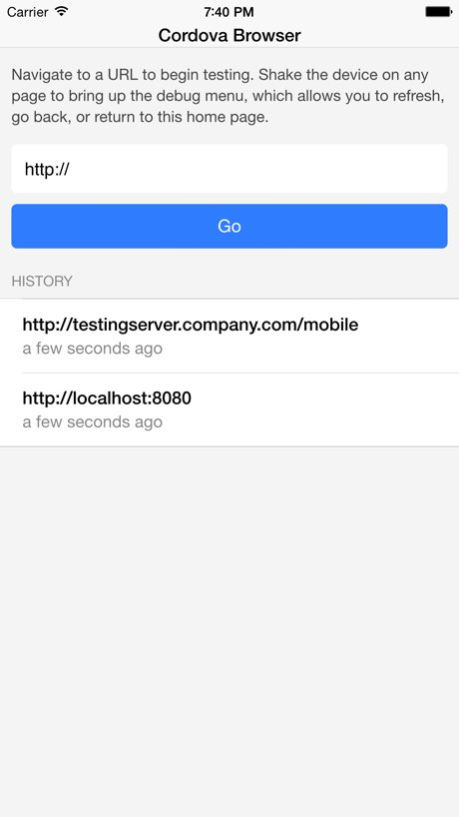
Cordova Browser allows you to test your HTML5 apps remotely, while taking full advantage of the PhoneGap/Apache Cordova API. This allows for faster development cycles, where you do not have to wait for an Xcode project to build.
When you browse to a website using Cordova Browser, you have full access to the PhoneGap API, allowing you to test the native functionalities you would expect in your PhoneGap app.
Cordova Browser also saves your recently browsed URLs so that you can return to them conveniently.
Cordova Browser features an in-app debugging menu activated by shaking the device. It allows you to refresh or jump back a page. Cordova Browser includes all the core plugins from Cordova: Device, Connection, Battery, Accelerometer, Compass, Location, Camera, File, Capture, Sound, FileTransfer, Notification, Vibration, Contacts, Globalization, SplashScreen, InAppBrowser, Logger
Version History This update from Apple will improve the functionality of this app. No new features are included.
We finally redesigned the application so that it supports all the latest iPhones. Additionally, we have updated Cordova to the latest 5.0.0 2.0 05/13/2015 1.0 11/05/2012
About Cordova Browser
The company that develops Cordova Browser is Arthur A Lee. The latest version released by its developer is 2.0.
To install Cordova Browser on your iOS device, just click the green Continue To App button above to start the installation process. The app is listed on our website since 2026-07-23 and was downloaded 12 times. We have already checked if the download link is safe, however for your own protection we recommend that you scan the downloaded app with your antivirus. Your antivirus may detect the Cordova Browser as malware if the download link is broken.
How to install Cordova Browser on your iOS device:
- Click on the Continue To App button on our website. This will redirect you to the App Store.
- Once the Cordova Browser is shown in the iTunes listing of your iOS device, you can start its download and installation. Tap on the GET button to the right of the app to start downloading it.
- If you are not logged-in the iOS appstore app, you'll be prompted for your your Apple ID and/or password.
- After Cordova Browser is downloaded, you'll see an INSTALL button to the right. Tap on it to start the actual installation of the iOS app.
- Once installation is finished you can tap on the OPEN button to start it. Its icon will also be added to your device home screen.
Program Details
System requirements
Download information
Pricing
Version History
version 2.0
posted on 2026-07-23
Version History This update from Apple will improve the functionality of this app. No new features are included.
We finally redesigned the application so that it supports all the latest iPhones. Additionally, we have updated Cordova to the latest 5.0.0 2.0 05/13/2015 1.0 11/05/2012
